
Help Center · Team and account
Several organisations, one sign-in
With one account you can belong to several organisations, for example your own studio and that of a client who invited you to her team. You sign in once and then switch between the studios.
Where to find it
The chooser is at swypecast.com/admin/choose. Each organisation also has its own studio under its address, for example client.swypecast.com/admin.
Choose after signing in
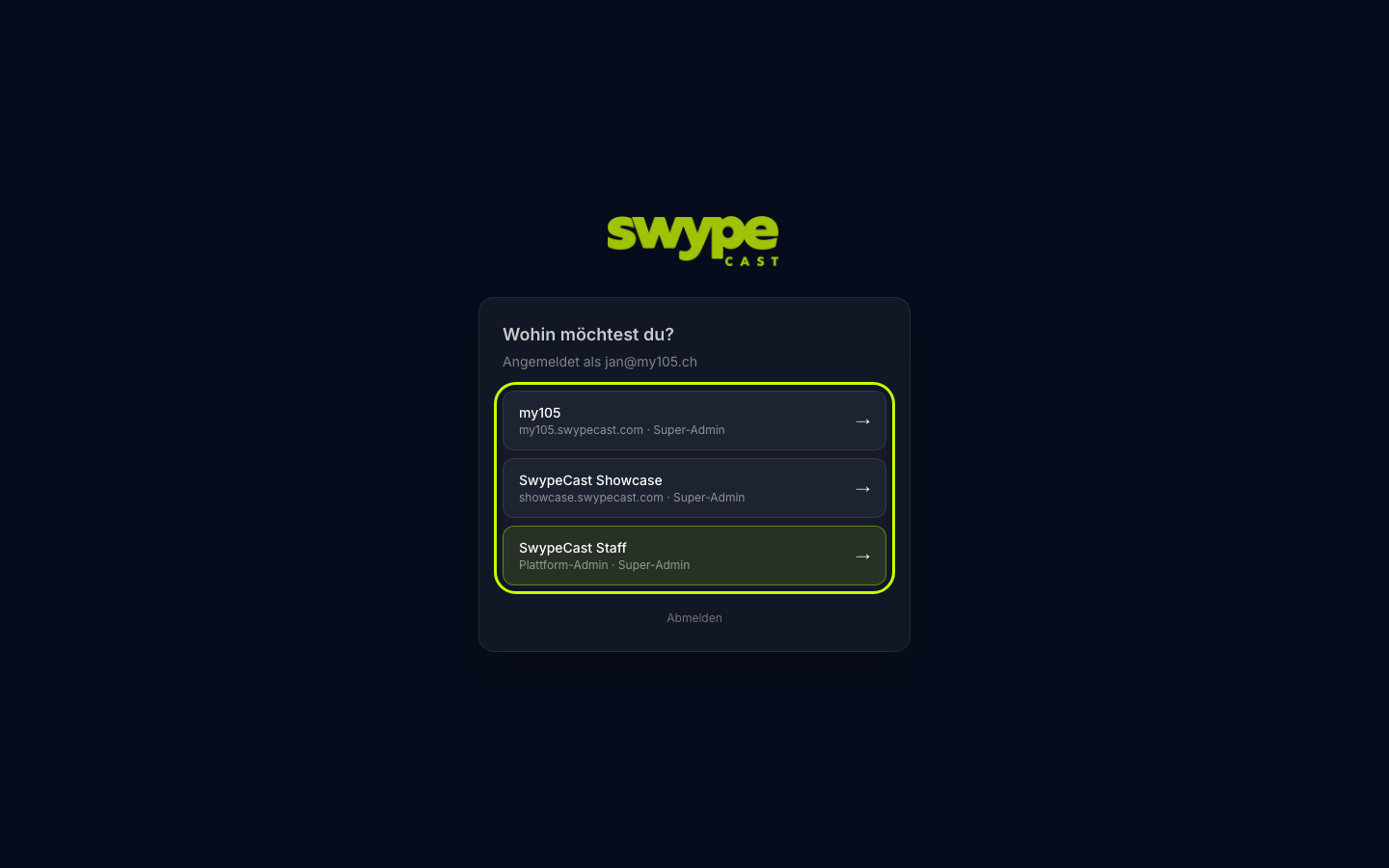
If you belong to more than one organisation, SwypeCast asks after the login Where would you like to go?
- At the top it shows which address you are signed in with.
- Each organisation is listed with name, address and your role in it.
- A click opens that organisation's studio.
If you belong to only one organisation, SwypeCast skips this step and opens your studio directly.
Switch later
- Open swypecast.com/admin/choose. You are still signed in and see the list right away.
- Pick the other organisation.
It is quicker with a bookmark per studio, for example client.swypecast.com/admin and my-studio.swypecast.com/admin. Your sign-in covers all addresses under swypecast.com, so switching does not ask you to sign in again.
What applies per organisation
- Your role can differ in each organisation, for example admin in your studio and editor at the client. What you may do is set by the admin of each organisation (see Roles and permissions).
- Name, photo, password and sign-in methods belong to your account and apply everywhere (see Your account).
- Plan, stories, clips and settings belong to the organisation. None of it moves between studios.
Account without an organisation
If you have an account but no organisation, the studio shows No access. This happens, for example, when an admin removed you from the team. You have two options:
- Ask an admin to invite you again.
- Click Create my own studio and set up an organisation of your own.
Newly invited
When another organisation invites you, you receive a login link by email. After clicking it you belong to it, and the new organisation appears in your chooser from then on.