
Help Center · Team and account
Your account
Click your name or photo at the bottom left of the sidebar to open your personal account.
Profile
Name and photo of your account. Both appear at the bottom of the sidebar; without a name it shows the organisation. Changes save automatically.
Change password
Enter your current password and the new one twice (at least 8 characters). Other devices stay signed in.
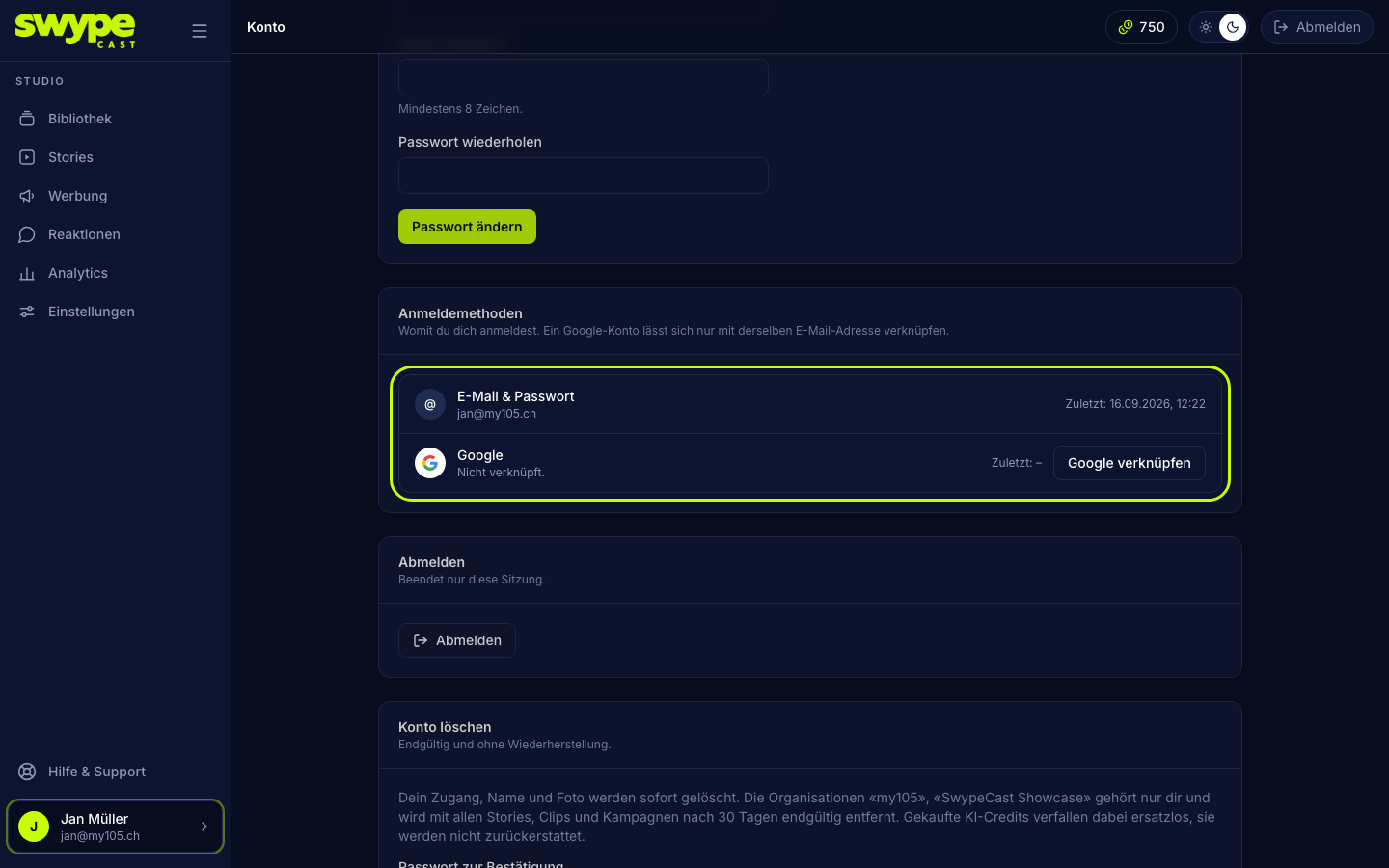
Sign-in methods
Here you see how you can sign in, E-Mail & Passwort (e-mail and password) and Google, and when you last used each method.
- Link Google: you sign in to Google once. The Google account must have the same e-mail address as your SwypeCast account, otherwise the link is refused.
- Unlink: only possible while a second method exists. If you signed up with Google, set a password first (Set password).
Sign out
Sign out ends this session only. On other devices you stay signed in.
Delete account
Deletes your account for good, with no way back.
- Under Delete account, enter your password to confirm.
- Click Delete account permanently.
Organisations where you are the only member are deleted with it, including all stories, clips and campaigns, for good after 30 days. The studio names them beforehand. Organisations with other members stay. If you are the only admin there, make someone else an admin first.