
Help Center · Stories and clips
Button in a clip (call to action)
Every clip can show a button, for example "Book now" or "To the shop". Viewers tap it and land on your link. SwypeCast counts the clicks in Analytics.
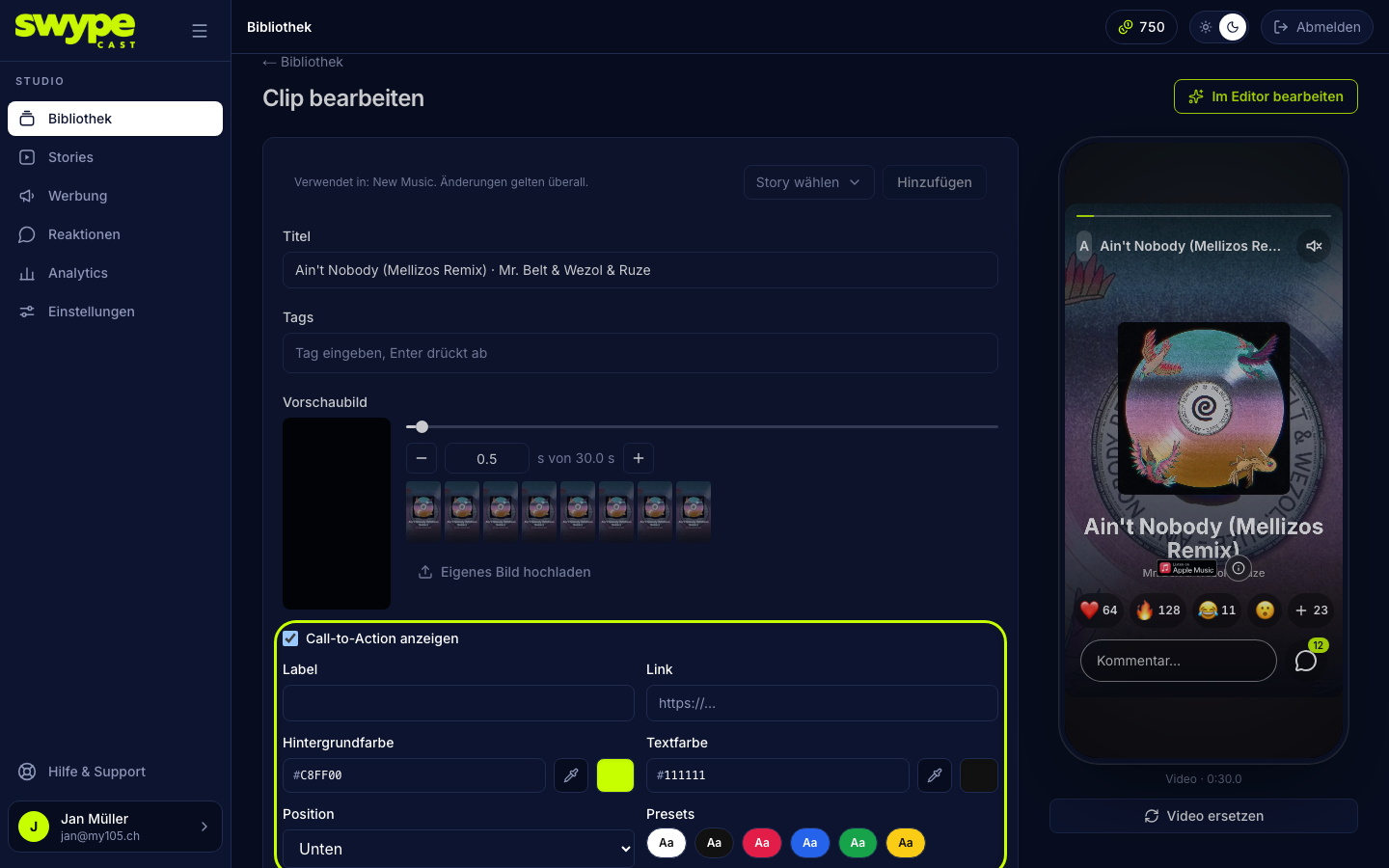
Set up the button
- Open the clip (Library → clip, or Edit in the story editor).
- Tick Show call to action.
- Label: the text on the button, short and clear ("Get tickets"), at most 40 characters.
- Link: the address to open, complete with
https://. - Background colour and text colour: enter hex codes, use the colour picker, or click a ready-made combination under Presets. The player's progress bar takes on the background colour while this clip plays.
- Position: bottom, middle or top. The preview on the right shows the effect at once.
Tips
- One button per clip. For several offers, spread them over several clips, or add the Link tool in the editor, see Tools on a clip.
- Short labels read best on a phone: two or three words.
- Check the link yourself once in the preview, a typo in the address is otherwise noticed by your viewers first.
- Ad creatives can have a button too; without one, ads show nothing.
Was this helpful?