
Your own subdomain
Your stories run under their own address: your-name.swypecast.com. You choose the name when you sign up. On the Free plan SwypeCast assigns the subdomain automatically from your organisation's name, and it cannot be changed there; you choose your own from the Team plan. The start page of this address opens your first live story; every other story adds its slug (…/summer). You also reach the studio there under /admin.
Change the subdomain
- Open Settings → Domain.
- Enter the name you want: 3 to 40 characters, lowercase letters, digits and hyphens (not at the start or end).
- The change saves automatically and is active after a few seconds. Below you see the new start page and the address of your first story.
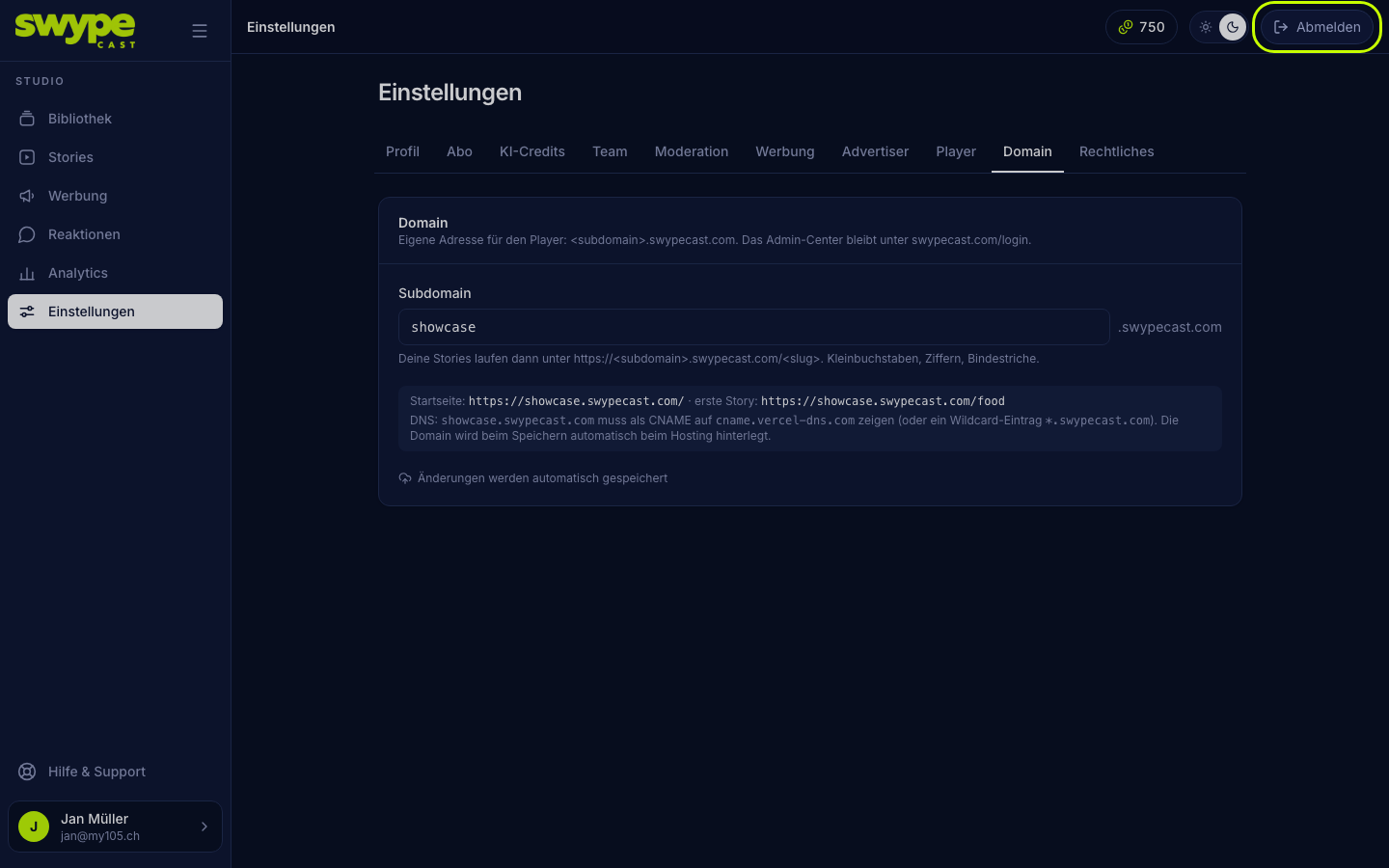
If the name is invalid or already taken, the studio tells you right below the field or when saving.
What to keep in mind
- Some names are reserved, for example
www,admin,api,helporsupport. - If you change the name, old links, embed codes and QR codes you already printed stop working. Update them on your website and create new QR codes.
- Without a subdomain, stories run under
swypecast.com/p/…. Embedding the whole story row and the row's QR code need a subdomain.
Your own domain (e.g. stories.your-company.com)
A completely separate domain is available on the Business plan. Write to us via support and we set it up together with you (a CNAME record at your domain provider).
Was this helpful?