
Share and embed your whole story row
Instead of a single story you can share your whole row: as a link, as a QR code or as a strip on your website with all stories side by side. A click on a story opens the player.
Where to find it
Stories → Share & embed tab. It holds Link and QR code, Embed and RSS feed. Everything needs your own address, which you set under Settings → Domain.
Link and QR code
Link to the whole row is your address, for example your-name.swypecast.com. It opens the first story in your list, and from there people swipe through all the others. You download the matching QR code as PNG or SVG, with the same designs as the QR code of a story.
Embed the row
- Switch to the Embed tab.
- Choose the kind: Tiles in story format (tall pictures in 9:16) or Round pictures (circles like on Instagram).
- Set the options, see below.
- Check the result in the Preview, on mobile or desktop.
- Copy the Embed code and paste it into your website as an HTML block.
The options:
- Size: fluid across the full width, or fixed for mobile (390 px) or desktop (960 px). If not all stories fit, the strip scrolls sideways.
- Click opens the player: in the same window (recommended) or in a new tab.
- Content moves (tiles only): the visible tiles play their first clip muted.
- Labels: for light or for dark backgrounds.
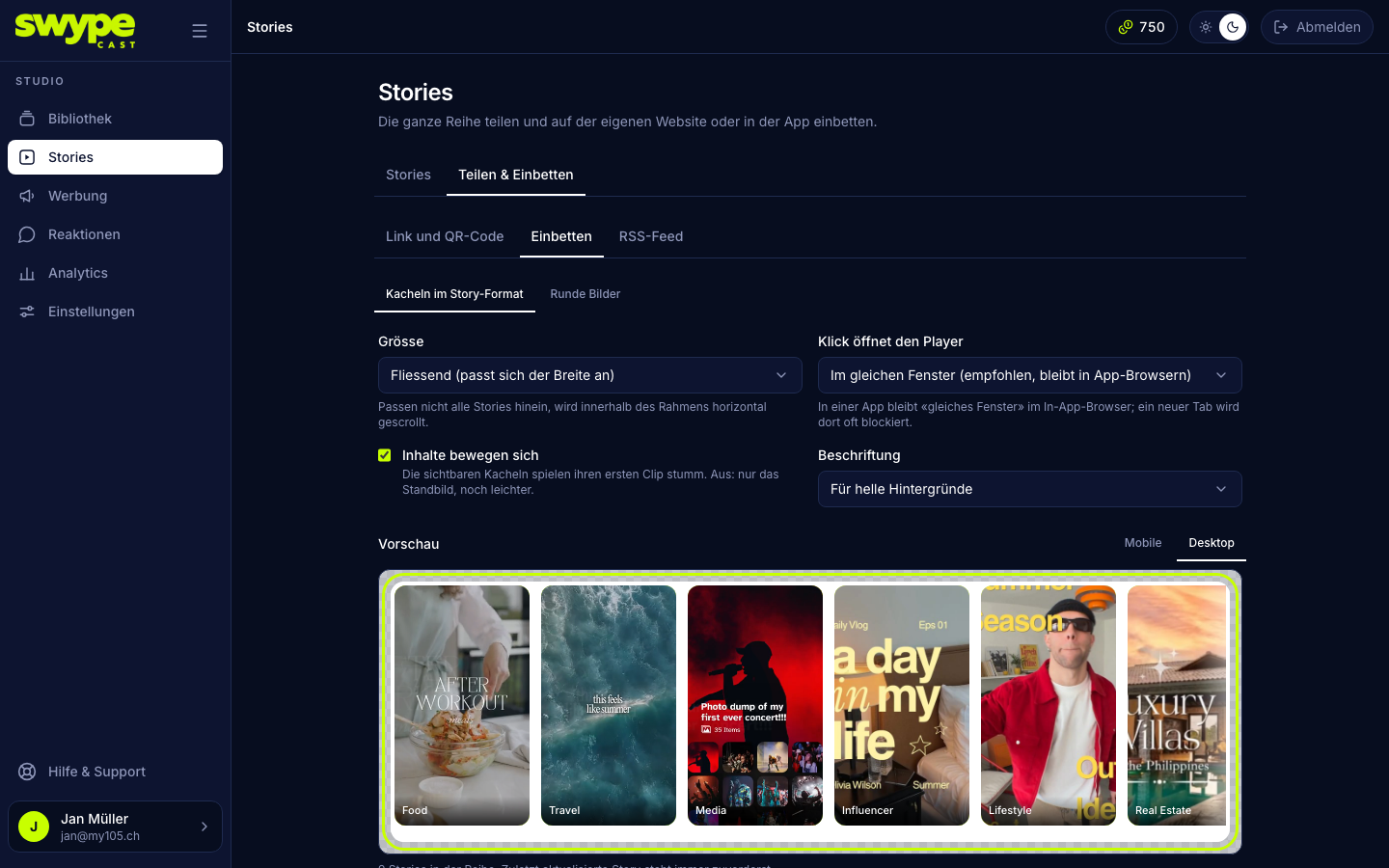
The strip has a transparent background, so it takes on the colour of your page. The checkerboard in the preview shows exactly that.
What visitors see
- The most recently updated story always comes first, up to 30 stories.
- A new or changed story carries a ring in your player colour. It disappears once the visitor has opened it. If the browser cannot store that, everything from the last 7 days counts as new.
- Moving tiles: at most three play at once, only while visible, and never when the device asks for reduced motion. Without motion the strip is lightest.
Same window or new tab
Inside an app, "same window" opens the player in the in-app browser; a new tab is often blocked there. In addition, the strip reports every click to the surrounding page via postMessage. Your own app can use that to open its own browser.
Take a story out of the row
Some stories should only run through their own link, for example for a promotion. For that there is Do not list in the row:
- in the story list via the eye in the row (the row fades and gets the badge not listed),
- or in the story under Settings → Playback and sharing.
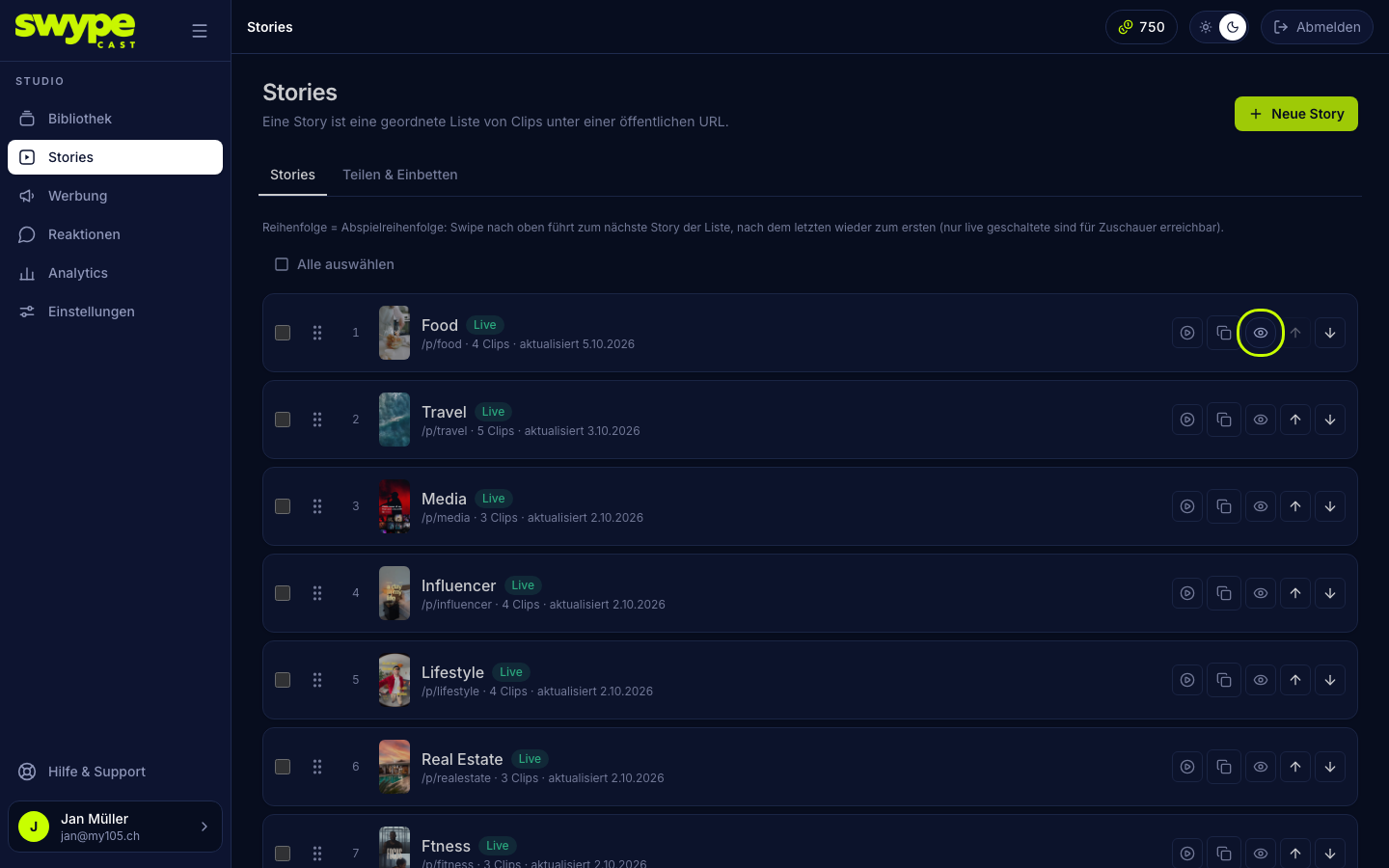
An unlisted story is missing from the embedded strip and the feeds, and the player does not jump into it when swiping. It stays reachable through its own link and QR code and plays on its own there.
Plans
Embedding the whole row is available from the Team plan. A single story can be embedded in every plan, see Embed a story on your website. The row's RSS feed comes with Pro.